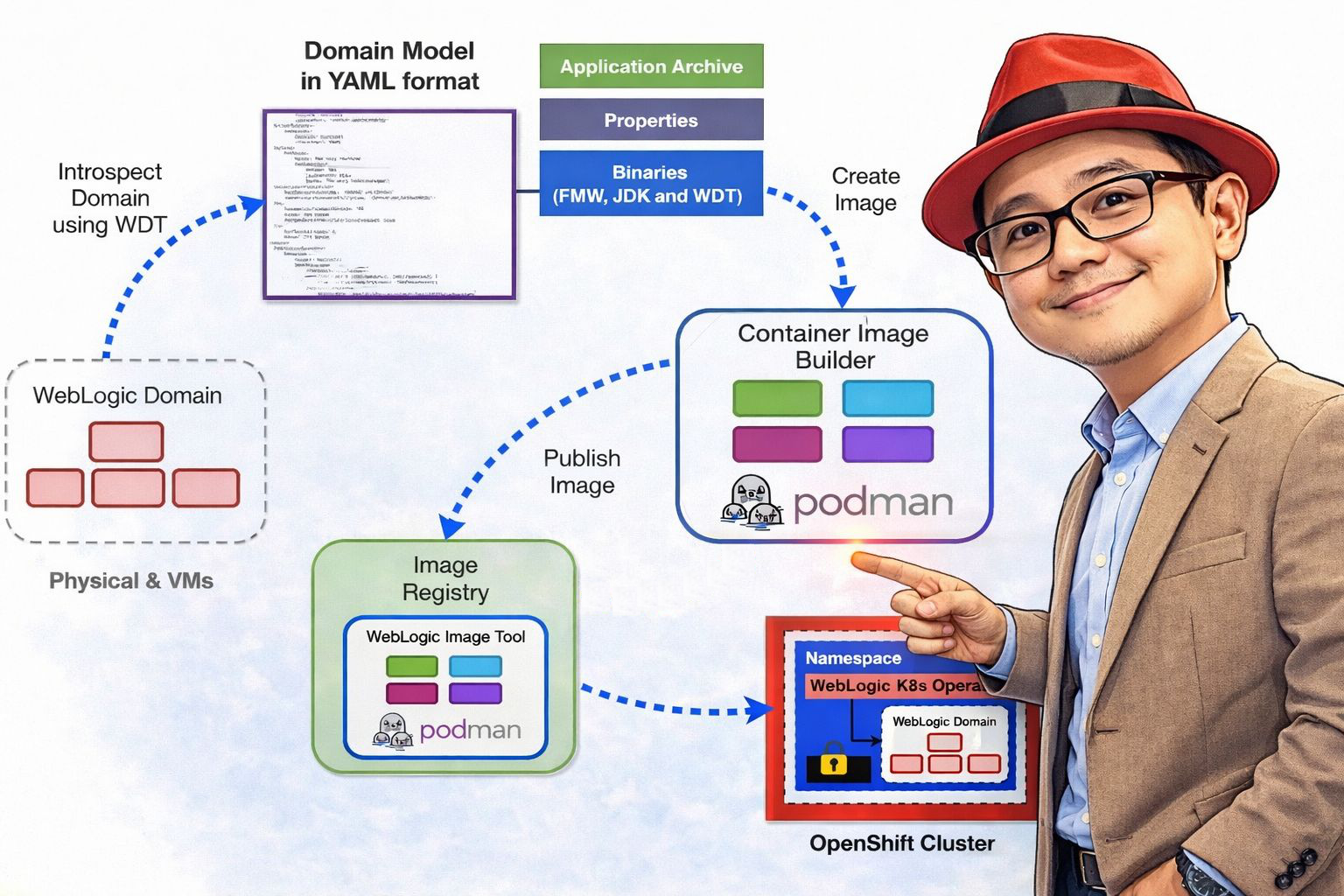
Create WebLogic Domain and Cluster
When running WebLogic on OpenShift using the WebLogic Kubernetes Operator, you define your runtime configuration using OpenShift Custom Resources (CRs).
The two most important resources are:
- Domain YAML
The Domain YAML is the primary custom resource that defines everything required to run a WebLogic domain in Kubernetes.
- Cluster YAML (optional, introduced in Operator 4.x)
Starting from Operator 4.0, clusters inside a domain can be defined using a separate Cluster custom resource.
Both resources work together to describe how your WebLogic domain runs inside Kubernetes (or platforms like Red Hat OpenShift).
domain.yaml
# WebLogic cluster configuration for the app1 domain
apiVersion: "weblogic.oracle/v1"
kind: Cluster
metadata:
  name: app1-cluster
  labels:
    weblogic.domainUID: app1
    environment: dsu
spec:
  replicas: 2
  clusterName: app1-cluster

---
apiVersion: "weblogic.oracle/v9"
kind: Domain
metadata:
  name: app1-domain
  labels:
    weblogic.domainUID: app1-domain
    environment: dsu

spec:
  configuration:

    model:
      # Optional auxiliary image(s) containing WDT model, archives, and install.
      # Files are copied from `sourceModelHome` in the aux image to the `/aux/models` directory
      # in running WebLogic Server pods, and files are copied from `sourceWDTInstallHome`
      # to the `/aux/weblogic-deploy` directory. Set `sourceModelHome` and/or `sourceWDTInstallHome`
      # to "None" if you want skip such copies.
      #   `image`                - Image location
      #   `imagePullPolicy`      - Pull policy, default `IfNotPresent`
      #   `sourceModelHome`      - Model file directory in image, default `/auxiliary/models`.
      #   `sourceWDTInstallHome` - WDT install directory in image, default `/auxiliary/weblogic-deploy`.
      auxiliaryImages:
      - image: "quay.io/rh_rh/wko-aux:latest"
        imagePullPolicy: Always
        #sourceWDTInstallHome: /auxiliary/weblogic-deploy
        #sourceModelHome: /auxiliary/models

      # All 'FromModel' domains require a runtimeEncryptionSecret with a 'password' field
      runtimeEncryptionSecret: domain-runtime-encryption-secret

  # Set to 'FromModel' to indicate 'Model in Image'.
  domainHomeSourceType: FromModel

  # The WebLogic Domain Home, this must be a location within
  # the image for 'Model in Image' domains.
  domainHome: /u01/domains/app1

  # The WebLogic Server image that the Operator uses to start the domain
  # **NOTE**:
  # This example uses General Availability (GA) images. GA images are suitable for demonstration and
  # development purposes only where the environments are not available from the public Internet;
  # they are not acceptable for production use. In production, you should always use CPU (patched)
  # images from OCR or create your images using the WebLogic Image Tool.
  # Please refer to the `OCR` and `WebLogic Images` pages in the WebLogic Kubernetes Operator
  # documentation for details.
  image: "quay.io/rh_rh/weblogic-custom:12.2.1.4"

  # Defaults to "Always" if image tag (version) is ':latest'
  imagePullPolicy: "Always"

  # Identify which Secret contains the credentials for pulling an image
  # imagePullSecrets:
  # - name: weblogic-repo-credentials

  # Identify which Secret contains the WebLogic Admin credentials,
  # the secret must contain 'username' and 'password' fields.
  webLogicCredentialsSecret:
    name: weblogic-credentials

  # Whether to include the WebLogic Server stdout in the pod's stdout, default is true
  includeServerOutInPodLog: true

  # Set which WebLogic Servers the Operator will start
  # - "Never" will not start any server in the domain
  # - "AdminOnly" will start up only the administration server (no managed servers will be started)
  # - "IfNeeded" will start all non-clustered servers, including the administration server, and clustered servers up to their replica count.
  serverStartPolicy: IfNeeded

  # Settings for all server pods in the domain including the introspector job pod
  serverPod:
    # Optional new or overridden environment variables for the domain's pods
    env:
    - name: JAVA_OPTIONS
      value: "-Dweblogic.StdoutDebugEnabled=false"
    - name: USER_MEM_ARGS
      value: "-Djava.security.egd=file:/dev/./urandom -Xms512m -Xmx1024m"
    resources:
      requests:
        cpu: "250m"
        memory: "1100Mi"
      limits:
        cpu: "1"
        memory: "2048Mi"

    podSecurityContext:
      runAsGroup: 1000
      supplementalGroups: [ 0, 1000 ]

  # The number of managed servers to start for unlisted clusters
  replicas: 1

  # The desired behavior for starting a specific cluster's member servers
  clusters:
  - name: app1-cluster

  # Change the restartVersion to force the introspector job to rerun
  # and apply any new model configuration, to also force a subsequent
  # roll of your domain's WebLogic Server pods.
  restartVersion: '1'

  # Changes to this field cause the operator to repeat its introspection of the
  #  WebLogic domain configuration.
  introspectVersion: '1'
Once the Cluster and Domain resources are successfully applied, the operator will first launch an introspector pod to analyze the domain configuration and validate any changes. This step ensures that the model, configuration, and referenced resources are correct before starting the runtime servers.
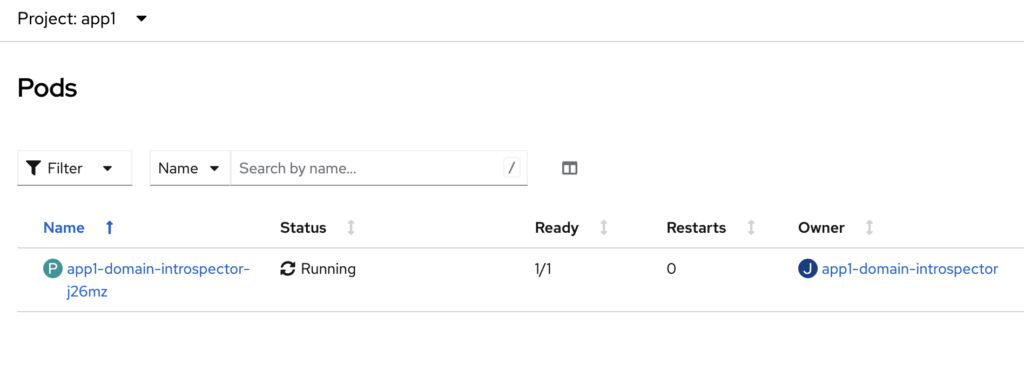
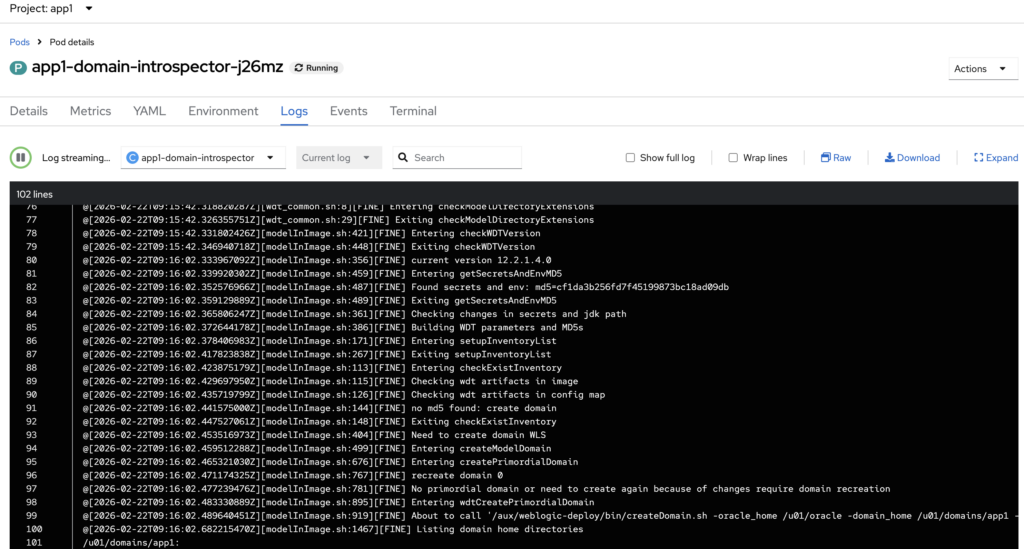
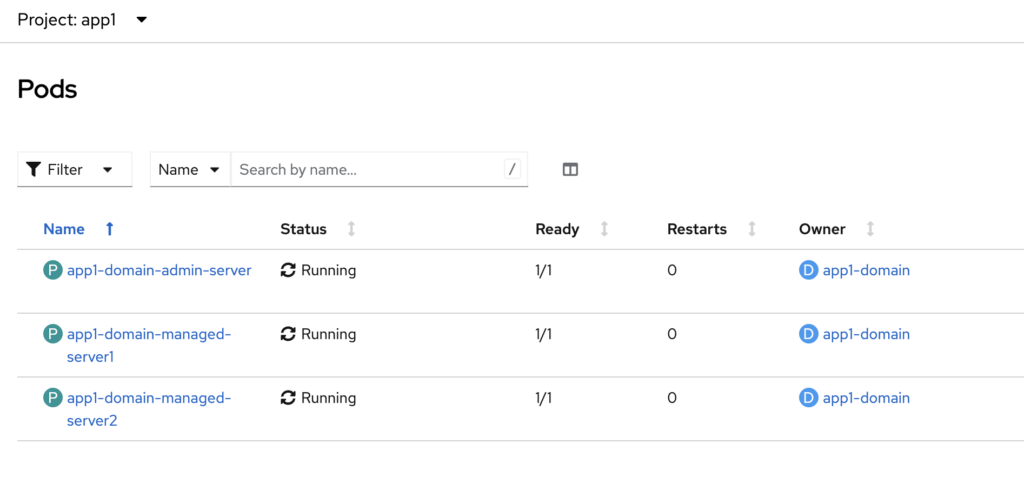
After the introspection process completes successfully, the Admin Server and Managed Server pods will be created and started in the cluster.
In addition, the operator will automatically create the corresponding Kubernetes Services for the Admin Server, the WebLogic cluster, and the individual Managed Servers, enabling internal communication and access within the environment.
Pods running on the ‘app1’ namespace in OpenShift
Admin Server login page
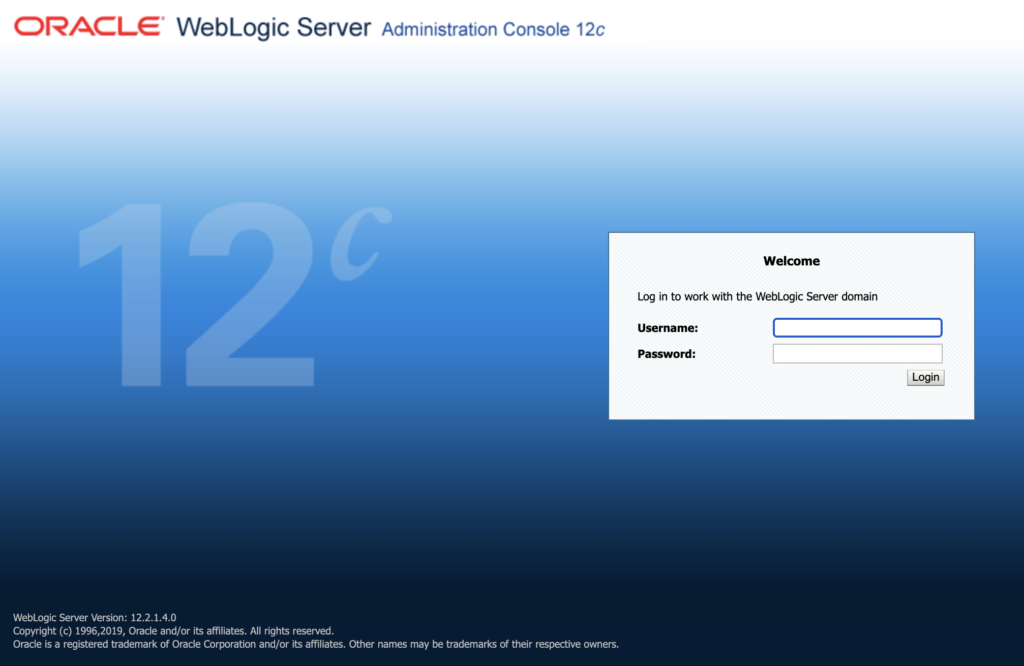
Please note that in this sample configuration, the Admin Server is not enabled for HTTPS. Therefore, you must use HTTP when accessing the WebLogic Administration Console.
Server list on Admin Console page
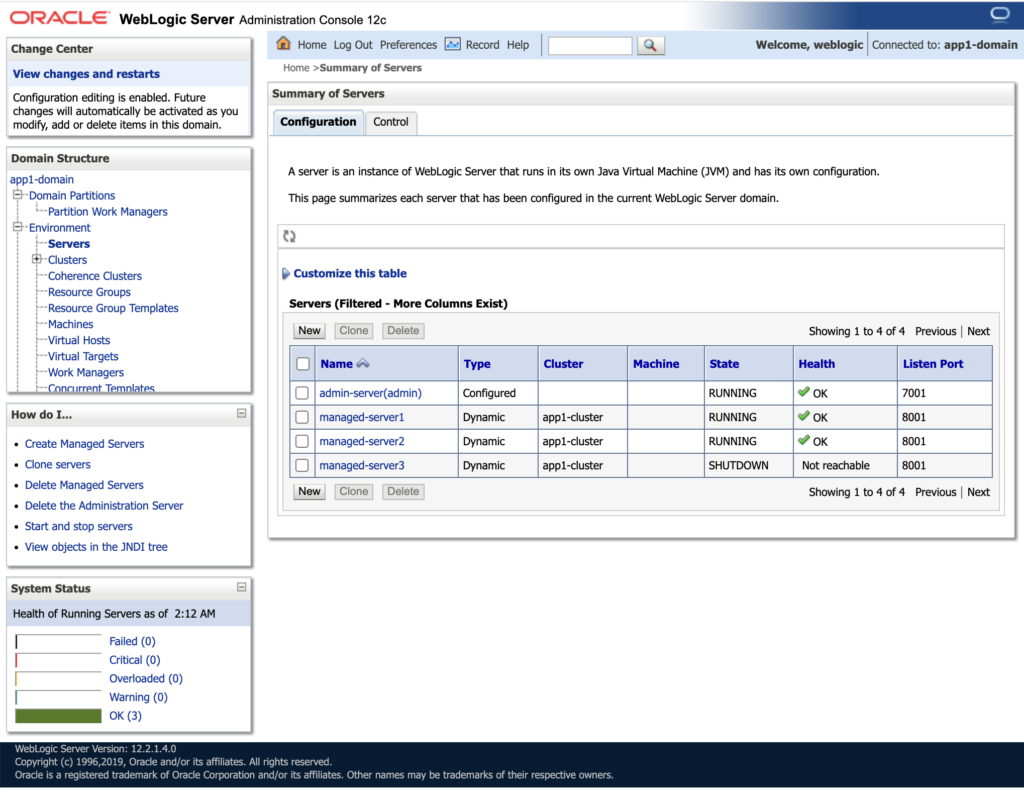
If you look at the Cluster custom resource (CR), we configured replicas: 2. However, in the model.properties, the maximum number of managed servers is defined as 3.
As a result, only two managed servers are started, while the third managed server remains in a SHUTDOWN state in the server list. This behavior is expected, since the replica count in the Cluster CR controls how many managed server pods are actually running, even if the domain configuration allows for more.
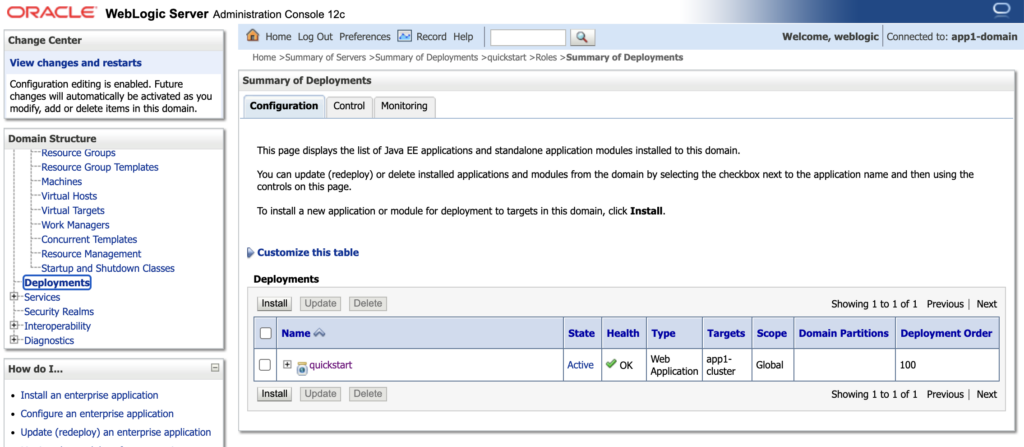
When we navigate to the Deployments, we should be able to see the ‘quickstart’ application as part of Auxiliary image in the previous steps.
When testing the quickstart application, you can access it via the /quickstart context path on the Cluster route URL. Upon accessing this endpoint, you should see the following output displayed in your browser.

Actual Implementation in Red Hat OpenShift
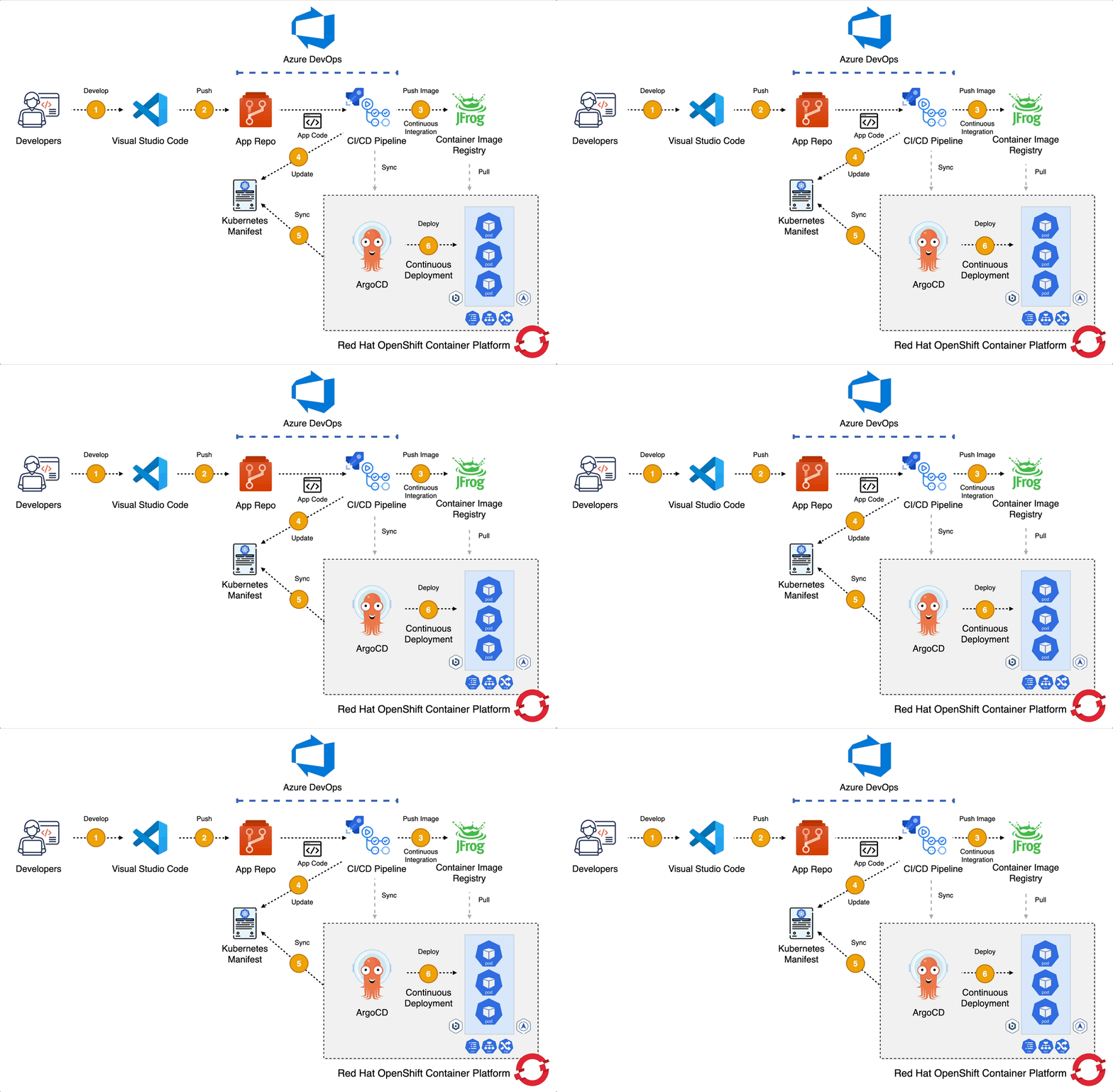
In the actual implementation, automation was a key success factor. We did not rely on manual deployment steps. Instead, we combined CI/CD and GitOps practices to ensure consistency, repeatability, and controlled promotions across environments.
We used Azure DevOps Pipelines as the CI/CD engine to orchestrate the end-to-end deployment process. The pipeline handled tasks such as:
- Building and validating artifacts
- Managing container images
- Deploying or upgrading the operator via Helm
- Applying Domain and Cluster custom resources
- Promoting configurations from test to production
To ensure declarative and version-controlled deployments, we adopted a GitOps approach. All Kubernetes manifests including Domain, Cluster, ConfigMaps, Sealed Secrets and other supporting resources were stored in Git as the single source of truth. Any change to the system was made through a pull request, reviewed, approved, and then applied through the pipeline.
For environment-specific customization, we used Kustomize. This allowed us to:
- Maintain a common base configuration
- Define overlays for different environments (DSU and PROD)
- Inject environment-specific values such as replicas, resource limits, database endpoints, and external integrations
This combination of CI/CD, GitOps, and Kustomize enabled:
- Controlled and auditable changes
- Faster and safer promotions between environments
- Elimination of configuration drift
- Minimal manual intervention
Ultimately, automation transformed the deployment model from manual VM-based procedures into a fully declarative, pipeline-driven, cloud-native workflow.
Lesson Learned!
Here’s a structured and experience-driven Lessons Learned summary from transforming WebLogic from traditional virtual machines to Red Hat OpenShift using the WebLogic Kubernetes Operator.
It’s Not Just a Platform Migration – It’s an Operating Model Change
Moving from VM-based WebLogic to OpenShift is not a simple lift-and-shift.
On VMs:
- Servers are long-running
- Configuration is often manual
- Scaling is static
- Patching is procedural
On OpenShift:
- Pods are ephemeral
- Configuration must be declarative
- Scaling is dynamic
- Everything should be automated
The biggest mindset shift is treat infrastructure and configuration as code.
Externalize Everything Early
In traditional environments, configuration is often embedded:
- JDBC URLs
- Credentials
- Hostnames
- Environment-specific tuning
In OpenShift:
- Use Secrets and ConfigMaps
- Use Model in Image
- Inject configuration at deployment time
The earlier you externalize configurations, the smoother the transition.
Separate Image from Configuration
A key success factor was separating:
- The WebLogic base image
- The domain model
- The environment configuration
Using Model in Image and Auxiliary images allows:
- One base image
- Multiple environments
- Faster promotions
This significantly improves CI/CD velocity.
Automate from Day One
Manual steps that worked in VMs quickly become bottlenecks in containers. We learned to automate:
- Namespace creation
- Labeling
- Secret creation
- Domain and cluster deployment
- Other resources deployment
Using pipelines (for example with Azure DevOps) ensures consistency and repeatability.
Understand OpenShift Behavior Deeply
Traditional WebLogic admins may not initially consider:
- Pod restarts
- Liveness and readiness probes
- Resource requests and limits
- Persistent volumes
- Network policies
Understanding Kubernetes fundamentals is just as important as understanding WebLogic.
Observability Becomes Easier – If Designed Properly
On VMs, monitoring is often siloed. On OpenShift:
- Logging is centralized
- Metrics are integrated
- Scaling behavior is observable
- Health is declarative
But observability must be planned, not assumed.
Organizational Alignment Is Critical
The transformation is not only technical. It affects:
- Infrastructure teams
- Development teams
- Security teams
Clear role alignment between platform engineering and application teams is essential.

I’m a cloud-native software architect passionate about building resilient, scalable systems. My work focuses on Java and modern frameworks like Quarkus, Spring, microservices architecture, Kubernetes, Service Mesh, and DevSecOps automation. I’m currently working as Consulting Architect in Red Hat Asia Pacific.